
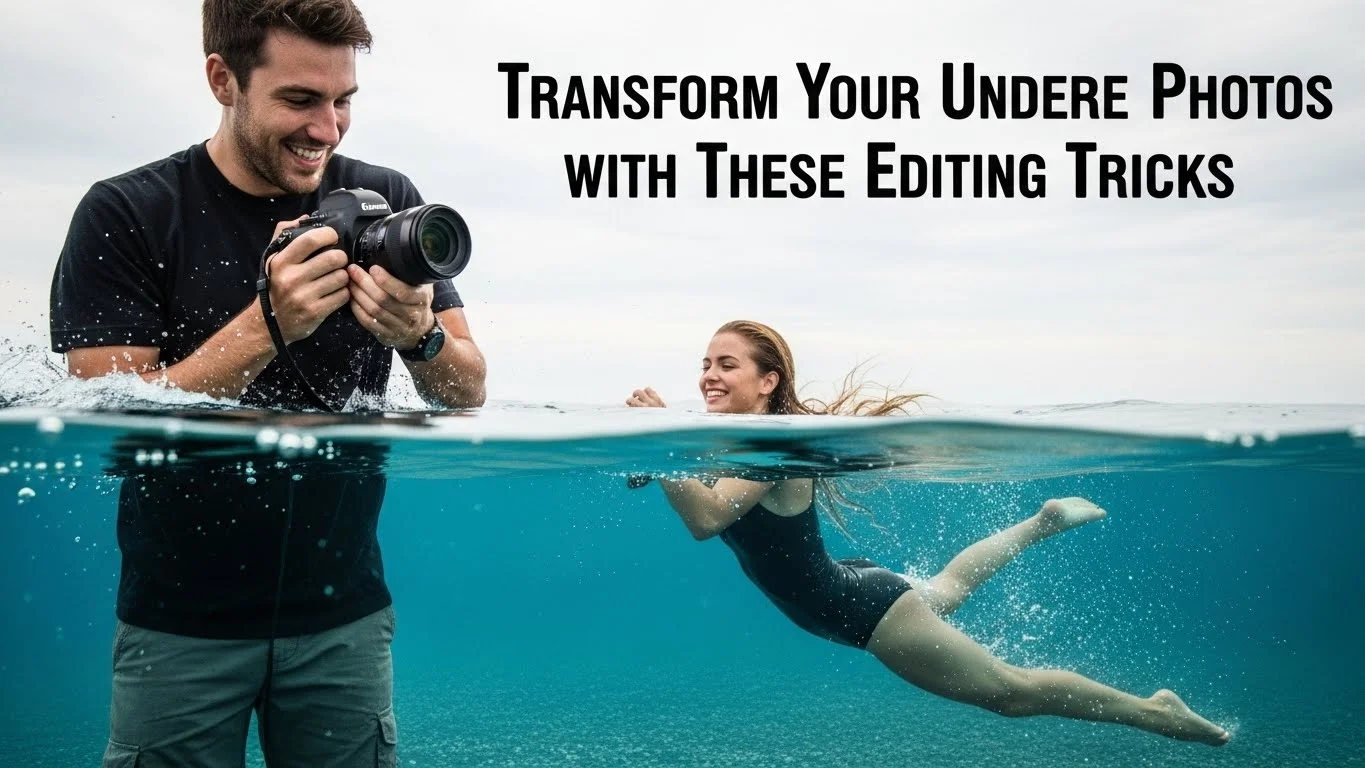
Underwater photography has a magical allure, but transforming those stunning shots into captivating images takes more than just great composition. Join me as we explore some essential tricks to enhance your underwater photos and showcase their true beauty. Read Interesting article: Essential Editing Techniques for Underwater Photography
Understanding the Challenges of Underwater Photography
When I first delved into underwater photography, I was fascinated by the vibrant colors and intricate marine life. However, I soon realized that capturing the perfect shot was only half the battle. The underwater world presents unique challenges that can make even the best photos look flat or dull. Let’s take a closer look at some of these challenges.
Common Issues: Color Loss and Distortion
One major hurdle I encountered was color loss. Underwater, light behaves differently, causing colors to fade and distort. For instance, reds and oranges vanish quickly as you descend, often leaving behind a blue or green hue. I remember my first few attempts to capture coral reefs; they appeared muted and lifeless. It was a stark contrast to the vibrant scene I had witnessed. Understanding this color loss is crucial for anyone wanting to capture the underwater world in its true brilliance.
Lighting Conditions Underwater
Lighting is another challenge that can make or break an underwater shot. As sunlight penetrates the water, it loses intensity and shifts toward the blue spectrum. This results in contrast issues, often leaving images lacking depth and clarity. There were times when I found myself fighting against this – trying to capture the play of light on the ocean floor or the shimmer of fish scales. I learned that the best times to shoot are during midday when the sun is high, allowing more light to penetrate the water.
Equipment Limitations
Let’s not forget about equipment limitations. While there are many fantastic underwater cameras and housings out there, I’ve found that not all gear is created equal. Some cameras struggle with focusing in low light, while others don’t handle color correction well. I remember investing in a camera that promised stunning underwater shots, only to be frustrated by its performance in those challenging conditions. It’s essential to choose equipment that aligns with the demands of underwater photography.
In my experience, investing in a good quality camera housing and lenses can make a significant difference. Wide-angle lenses are especially useful for capturing expansive underwater scenes, while macro lenses help in revealing the intricate details of marine life. I recommend doing thorough research to find the right gear that suits your photography style and the environments you plan to explore.
Essential Editing Software for Underwater Photos
Once I managed to capture those elusive underwater shots, I quickly discovered that editing was just as crucial as shooting. The right software can work wonders in bringing your photos to life. Here are some of my favorites.
Popular Editing Tools: Lightroom and Photoshop
Adobe Lightroom has become my go-to for editing underwater photos. Its user-friendly interface and powerful features allow me to enhance colors, adjust lighting, and fine-tune details with ease. I love using its color correction tools to tackle the blues and greens that often dominate my underwater images. For more advanced edits, I turn to Photoshop. The layering and masking features provide me with endless possibilities to create stunning images. I’ve found that combining both tools gives me the best results. Read Interesting article: Mastering Underwater Photo Editing: Tips for Stunning Shots
Mobile Apps for Quick Edits
For those moments when I’m on the go, mobile apps like Snapseed and Lightroom Mobile have been lifesavers. I often find myself editing photos right after a dive, and these apps allow me to make quick adjustments without the need for a computer. I appreciate the convenience of being able to enhance my photos while still reliving the experience.
Plugins and Filters for Underwater Photography
Plugins can also be a powerful addition to my editing toolkit. I’ve experimented with various plugins designed specifically for underwater photography, which help me tackle color correction and enhance sharpness. Filters can also be beneficial, especially when trying to bring out the hidden details in my photos. I remember applying a specific underwater filter to a shot of a vibrant coral reef, and the difference was astounding; it truly brought the colors to life.
Editing underwater photos can be an exciting journey. Each challenge we face in capturing those stunning scenes can be transformed into an opportunity for creativity and expression. With the right tools and techniques, we can indeed transform our underwater images into breathtaking works of art.
Basic Editing Techniques to Enhance Underwater Photos
Once I’ve got my underwater shots ready for editing, I dive right into some basic techniques that can significantly enhance their quality. These are the bread and butter of editing, and I’ve found that mastering them can really elevate my photography.
Adjusting Exposure and Contrast
One of the first things I do is adjust the exposure. Underwater images often require a little boost because the water can dull the brightness. I like to play with the exposure slider, and I usually aim to brighten the overall image without losing detail. I remember the first time I adjusted an image that felt too dark; it was like unveiling a hidden world. Contrast is another essential adjustment. By increasing contrast, I can make the colors pop and add depth to the image, helping it feel more vibrant. I’ve learned to be cautious, though, because too much contrast can result in loss of detail, especially in the shadows.
Correcting White Balance
White balance correction has been a game-changer for my underwater photography. I’ve often struggled with images that had an unnatural blue or green tint. To combat this, I use the white balance tool to neutralize those colors and bring the image back to its true colors. It’s fascinating how a simple adjustment can transform an image from looking cold and lifeless to warm and inviting. I usually set the white balance by choosing a neutral area in the photo or using the temperature slider to warm up the photo. It’s all about finding that perfect balance.
Enhancing Color Saturation
After fixing exposure and white balance, enhancing color saturation is one of my favorite steps. Underwater scenes can lose their vividness, so a little saturation boost can breathe life back into the image. I like to increase saturation carefully, ensuring that the colors don’t look overly processed. There’s something satisfying about seeing the coral reefs and marine life come alive with just a few adjustments. I’ve experienced that a subtle increase often yields stunning results, making the blues of the ocean and the colors of the fish pop beautifully.
Advanced Editing Tricks for Stunning Results
Once I’ve nailed the basics, I like to explore some advanced editing tricks that can take my underwater photos to the next level. These techniques require a bit more finesse, but the payoff can be worth it.
Applying Gradient Filters for Depth
Gradient filters have become a vital tool in my editing toolkit. These filters help create depth in underwater shots by darkening the top of the image while keeping the bottom lighter. I often found that this technique allows me to mimic the way light filters through water, adding a more immersive feel to my photos. When I apply a gradient, I typically start from the top and gradually blend it downwards, ensuring that the transition feels natural and unobtrusive. The result? A photo that feels three-dimensional and inviting.
Using Noise Reduction Techniques
Noise can be a pesky issue in underwater photography, especially in low-light conditions. I’ve encountered grainy images that seemed unfixable. However, I learned that noise reduction tools in my editing software can significantly improve the quality of my images. It’s crucial to strike a balance, as too much noise reduction can lead to a loss of detail. I usually apply a gentle touch to smooth out the noise, particularly in the darker areas of the photo, and then fine-tune the sharpness to retain the essential textures. This technique has transformed many of my images from looking amateurish to more polished.
Blending Multiple Exposures
Blending multiple exposures has been one of the most rewarding techniques I’ve learned. I often shoot several images at different exposures, especially in challenging lighting conditions. By blending these exposures, I can create a final image that captures the full dynamic range of the scene. I remember one memorable dive when I captured a stunning underwater cave, and by blending the exposures, I was able to showcase both the dark shadows and the bright patches of light filtering through. It’s like painting with light, and the results can be truly breathtaking.
Specific Adjustments for Common Underwater Subjects
As I continued to refine my underwater photography skills, I realized that different subjects require specific adjustments during editing. Each type of underwater scene has its unique characteristics and challenges. By tailoring my editing techniques, I’ve been able to highlight the beauty of various underwater subjects, from vibrant coral reefs to elusive marine life.
Editing Coral Reefs: Color and Detail Enhancements
Coral reefs are some of the most colorful and dynamic environments I’ve had the pleasure of photographing. However, capturing their true vibrancy can be tricky due to the color loss underwater. When editing coral reef photos, I focus on enhancing both color and detail. First, I usually start with boosting the saturation and vibrancy. I’ve learned that this helps bring out the stunning hues of coral that often appear washed out in my initial shots. But I have to be careful not to overdo it; natural-looking colors are always my goal.
Next, I like to use selective editing tools to sharpen specific areas of the image. I zoom in on the coral structures and apply some clarity to enhance textures. This technique often reveals the intricate patterns and details that make coral reefs so fascinating. Sometimes, I might even apply a vignette effect to draw attention to the center of the image, making the coral stand out even more. The combination of these adjustments can transform a flat photo into a vibrant portrayal of life beneath the waves.
Editing Marine Life: Focus and Sharpness
Photographing marine life, whether it’s a curious fish or a graceful sea turtle, poses its own set of challenges. I’ve found that focus and sharpness are the key elements to prioritize when editing these types of shots. It’s crucial to ensure that the subject stands out against the often busy underwater background. I typically start by enhancing the sharpness of the subject using the sharpening tools in my editing software, making sure to apply it selectively to avoid introducing noise in the surrounding areas.
Another important adjustment I focus on is the use of a subtle blur effect on the background. This helps isolate the subject and ensures that the viewer’s attention is directed where I want it. Sometimes I experiment with a slight Gaussian blur to soften the background, allowing the detail in the fish or marine creature to pop. I also pay close attention to the eyes of the marine life; bringing out the detail in the eyes can create a connection between the viewer and the subject, making the photo even more engaging.
Editing Underwater Landscapes: Composition and Tone
When it comes to editing underwater landscapes, composition and tone play a significant role in conveying the atmosphere of the scene. I’ve discovered that using leading lines and natural frames can enhance the overall composition of my images. During editing, I often crop my photos to improve the framing, ensuring that the viewer’s eye is guided smoothly through the image. I remember one instance where I captured a beautiful underwater cave. By cropping it strategically, I was able to emphasize the stunning rock formations and the light filtering through.
In terms of tone, I like to experiment with the overall mood of the image. Adjusting the warmth and coolness of the tones can alter the viewer’s perception significantly. For instance, I might warm up an image of a sandy seabed to give it a more inviting feel or cool down the tones of a deeper shot to convey a sense of mystery. I also play with the clarity and texture sliders to add depth, ensuring that the underwater landscape feels immersive and captivating. These adjustments allow me to create a sense of place that truly represents the underwater world.
In my experience, understanding the specific needs of each underwater subject can enhance my editing process tremendously. By tailoring my approach, I not only improve the aesthetic quality of my photos but also capture the essence of the vibrant life and stunning landscapes beneath the surface.
Preserving the Natural Beauty of Underwater Photos
As I continued my journey in underwater photography, I realized that while editing can enhance an image, preserving the natural beauty of the underwater world is equally important. It’s a delicate balance that I strive to achieve with every photo I edit. Here are some of the ways I make sure to keep the authenticity of my underwater shots intact.
Avoiding Over-Editing: When Less is More
One of the most valuable lessons I’ve learned is the importance of restraint during editing. It’s so tempting to push all the sliders to their limits, thinking that more is better. However, I’ve found that over-editing can lead to images that feel unnatural, losing the essence of the underwater world I experienced. I remember one photo of a beautiful sea turtle that I was eager to enhance. I cranked up the saturation and contrast, but when I looked at it afterward, the turtle no longer looked like the graceful creature I had seen. Instead, it felt like a cartoon version of itself. Now, I focus on making subtle enhancements that elevate rather than overpower the original beauty of my images.
Maintaining Authentic Colors
Color accuracy is critical in underwater photography. I often aim to reflect the true colors of the marine environment, as I believe this helps convey a more genuine experience for the viewer. During editing, I pay special attention to the color correction tools, ensuring that the hues I enhance remain true to the original scene. I’ve developed a habit of frequently comparing my edited photos with my RAW files to ensure I’m not straying too far from reality. Keeping that authenticity allows my audience to feel a connection to the underwater world as I experienced it.
Creating a Cohesive Look Across Your Portfolio
As I built my collection of underwater photographs, I noticed the importance of having a cohesive look across my portfolio. This doesn’t mean that all my images should look the same, but rather that they should share a common feel or vibe. To achieve this, I’ve developed a signature editing style that balances vibrant colors with natural tones. I tend to use similar color grading techniques across my images, which helps create a harmonious flow. It’s fascinating how a consistent style can turn a series of individual shots into a compelling story that captures the beauty of underwater life.
Exporting and Sharing Your Edited Underwater Photos
Once I’ve fine-tuned my underwater images, the next step is sharing them with the world. It’s another exciting part of the process, but it comes with its own set of considerations.
Optimal File Formats for Different Platforms
When it comes to exporting my photos, choosing the right file format is key. I typically save my edited images as JPEGs for social media; they offer a good balance between quality and file size. However, for prints or a photography portfolio, I prefer using TIFF or PNG formats, as they preserve more detail and color depth. I’ve learned that selecting the appropriate format can greatly impact how my images are displayed, ensuring they look their absolute best.
Best Practices for Social Media Sharing
Social media platforms are fantastic for showcasing my underwater photography, but I’ve found that each platform has its own quirks. For instance, Instagram favors square or vertical images, so I often adjust my crop to fit those dimensions. I also pay attention to the optimal resolution; sharing high-quality photos helps them stand out. Additionally, I make sure to use relevant hashtags to reach a wider audience and connect with fellow enthusiasts. I enjoy engaging with others who share my passion, and social media has been an excellent avenue for that.
Creating a Photography Portfolio: Tips and Tricks
Building a photography portfolio is essential for showcasing my work to potential clients or galleries. I’ve learned that simplicity is key. I aim to select a diverse range of images that highlight my skills and personal style. Each photo I choose tells a story, and I make sure to include a mix of subjects, from vibrant coral reefs to intriguing marine life. I also ensure that my portfolio is well-organized and easy to navigate. It’s all about making a strong impression and inviting viewers to explore the underwater world through my lens.
Final Thoughts
Underwater photography has taught me so much about patience, creativity, and the beauty of the natural world. Each dive is an adventure, and every photo is a unique representation of that experience. I believe that using the right editing techniques can enhance our work without overshadowing the authenticity of what we capture beneath the waves. As I continue to explore this fascinating field, I look forward to sharing my journey and the wonders of the underwater world with others. Read Interesting article: The Best Affordable Locations for Underwater Photography Adventures
Frequently Asked Questions
What are the common challenges faced in underwater photography?
Common challenges in underwater photography include color loss and distortion due to light behavior under water, lighting conditions that affect image clarity, and equipment limitations that can hinder focusing and color correction.
Why is lighting important in underwater photography?
Lighting is crucial in underwater photography because as sunlight penetrates the water, it loses intensity and shifts towards the blue spectrum, leading to contrast issues that can leave images looking flat and lacking depth.
What types of editing software are recommended for underwater photos?
Adobe Lightroom and Photoshop are recommended for editing underwater photos. Lightroom is user-friendly for color and lighting adjustments, while Photoshop offers advanced editing features like layering and masking.
How can mobile apps assist in editing underwater photography?
Mobile apps like Snapseed and Lightroom Mobile allow for quick edits on the go, enabling photographers to make adjustments immediately after a dive without needing a computer.
What basic editing techniques are essential for enhancing underwater photos?
Essential basic editing techniques include adjusting exposure and contrast, correcting white balance, and enhancing color saturation to bring life back to underwater images.
What advanced editing techniques can improve underwater photos?
Advanced editing techniques include applying gradient filters for depth, using noise reduction techniques for grainy images, and blending multiple exposures to capture a full dynamic range of the scene.
How should coral reef photos be edited for the best results?
When editing coral reef photos, focus on enhancing color and detail by boosting saturation and vibrancy, sharpening specific areas, and possibly applying a vignette effect to draw attention to the coral.
What adjustments are important when editing marine life photographs?
For marine life photographs, prioritizing focus and sharpness is key. Enhancing the sharpness of the subject and applying a subtle blur effect to the background helps isolate the subject and draw attention to it.
How can underwater landscapes be effectively edited?
Editing underwater landscapes involves improving composition through cropping and adjusting tones to convey the desired atmosphere, using clarity and texture sliders to add depth to the image.
What should be considered when exporting and sharing underwater photos?
When exporting underwater photos, choose the right file format—JPEG for social media and TIFF or PNG for prints. Additionally, consider platform-specific dimensions and optimal resolutions for sharing on social media.